
Keep website sign-ins across chats, fill requested details through an Okou form, and connect Mercury by signing in. This week also makes six other tools easier to connect, adds an event-flyer workflow and a Meeting notes template, and brings shortcuts and documentation into Help.
Cloud browser
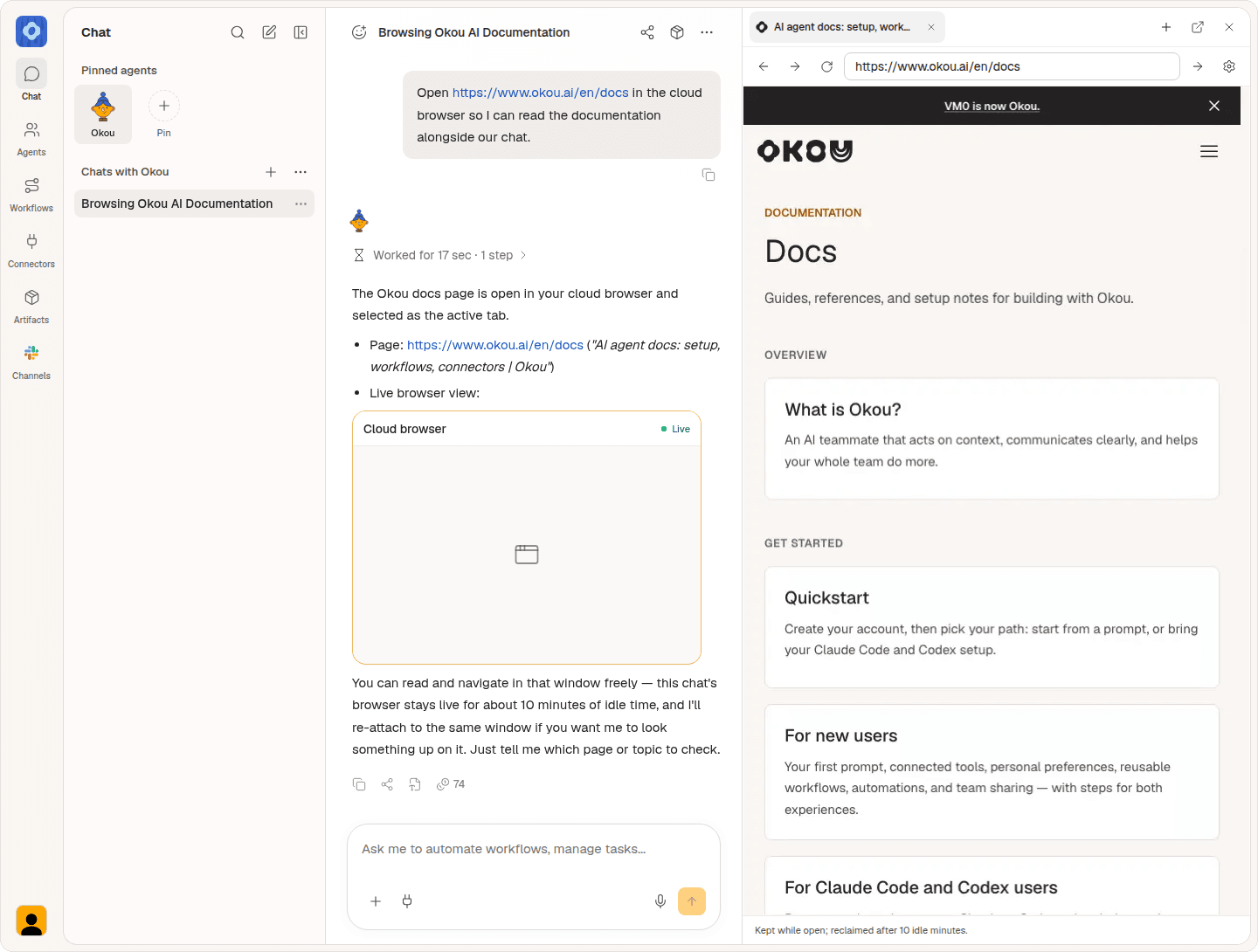
Keep website sign-ins when you move between chats. Okou's cloud browser now shares your website sessions across your chats, while each chat keeps its own window and tabs.
When a website needs your sign-in details, Okou can open an input form inside the chat. Enter your information there and choose Add to browser. This fills the fields on the open page without submitting the website form.
Enable Browser access in each chat where you want Okou to use it. A more compact tab header also leaves more room for the page.
Mercury
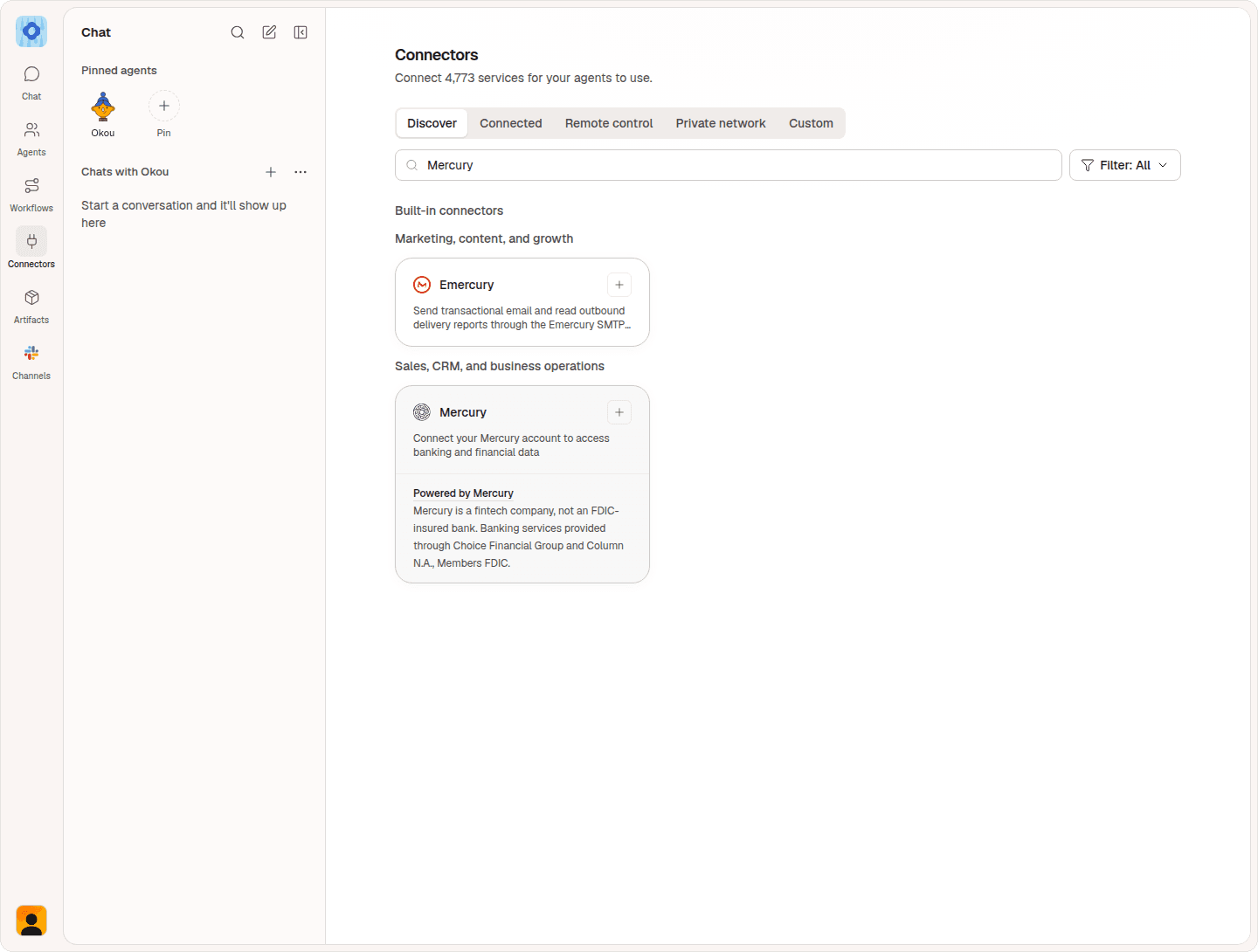
Connect your Mercury account by signing in and approving access. Open Connectors, search for Mercury, and select it to review and approve the access you want to grant.
New connections use this sign-in flow. If you already connected Mercury with an API token, that connection still works.
Mercury is a fintech company, not an FDIC-insured bank. Banking services provided through Choice Financial Group and Column N.A., Members FDIC.
Connectors
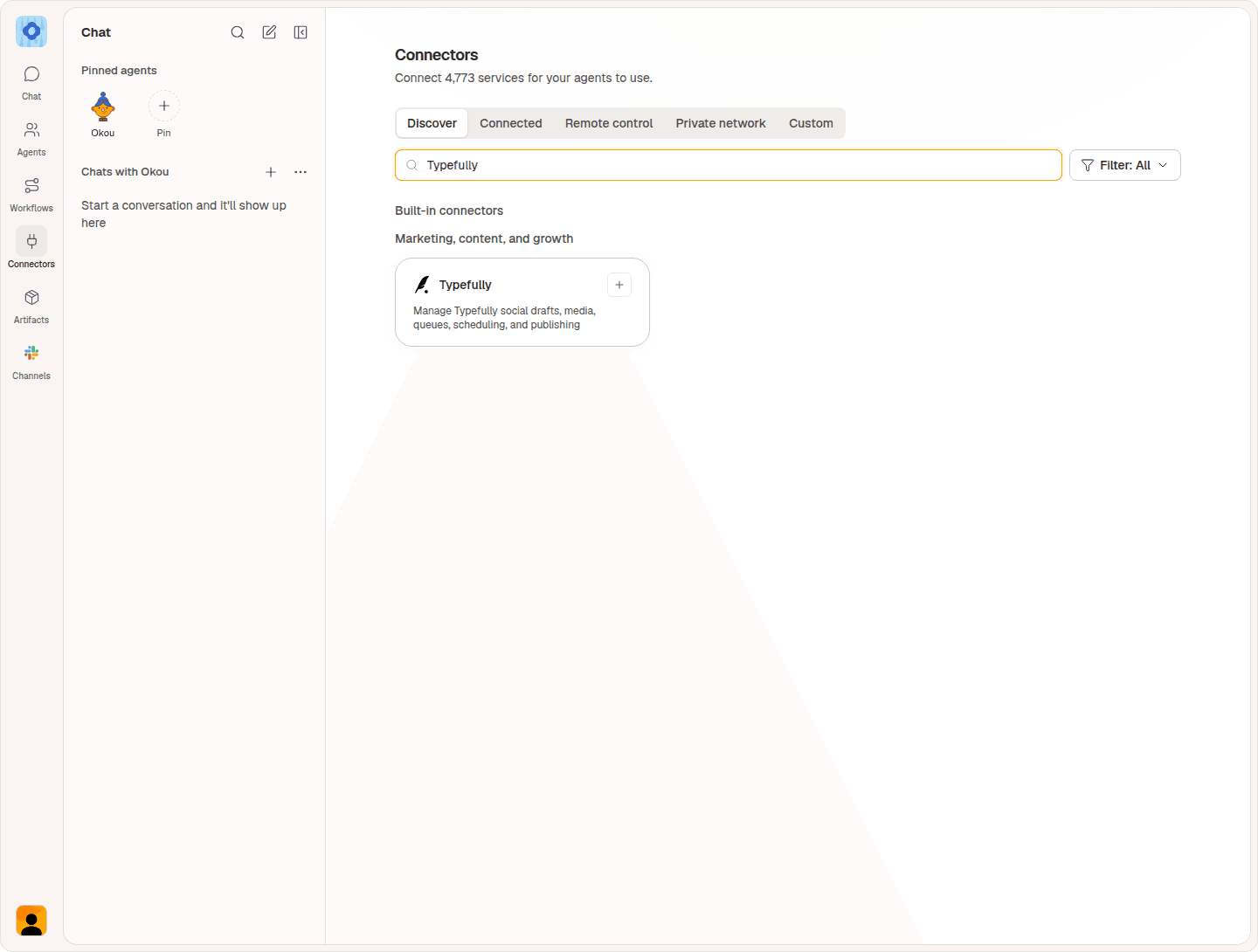
You can now connect Buffer, DeepL, Grain, Typefully, Otter.ai, and Similarweb with your usual sign-in. There is no separate access key to find and paste.
Open Connectors, choose your tool, sign in to your account, and approve access. These tools were already available in Okou; this update makes connecting them easier.
If you connected one of these tools with a key before, reconnect it using the new sign-in option and choose the access you want to allow.
Your tool's subscription still determines which features you can use. Similarweb needs a plan that includes API access. If you use a DeepL team account, your administrator may need to allow AI tools to connect first.
Event flyers
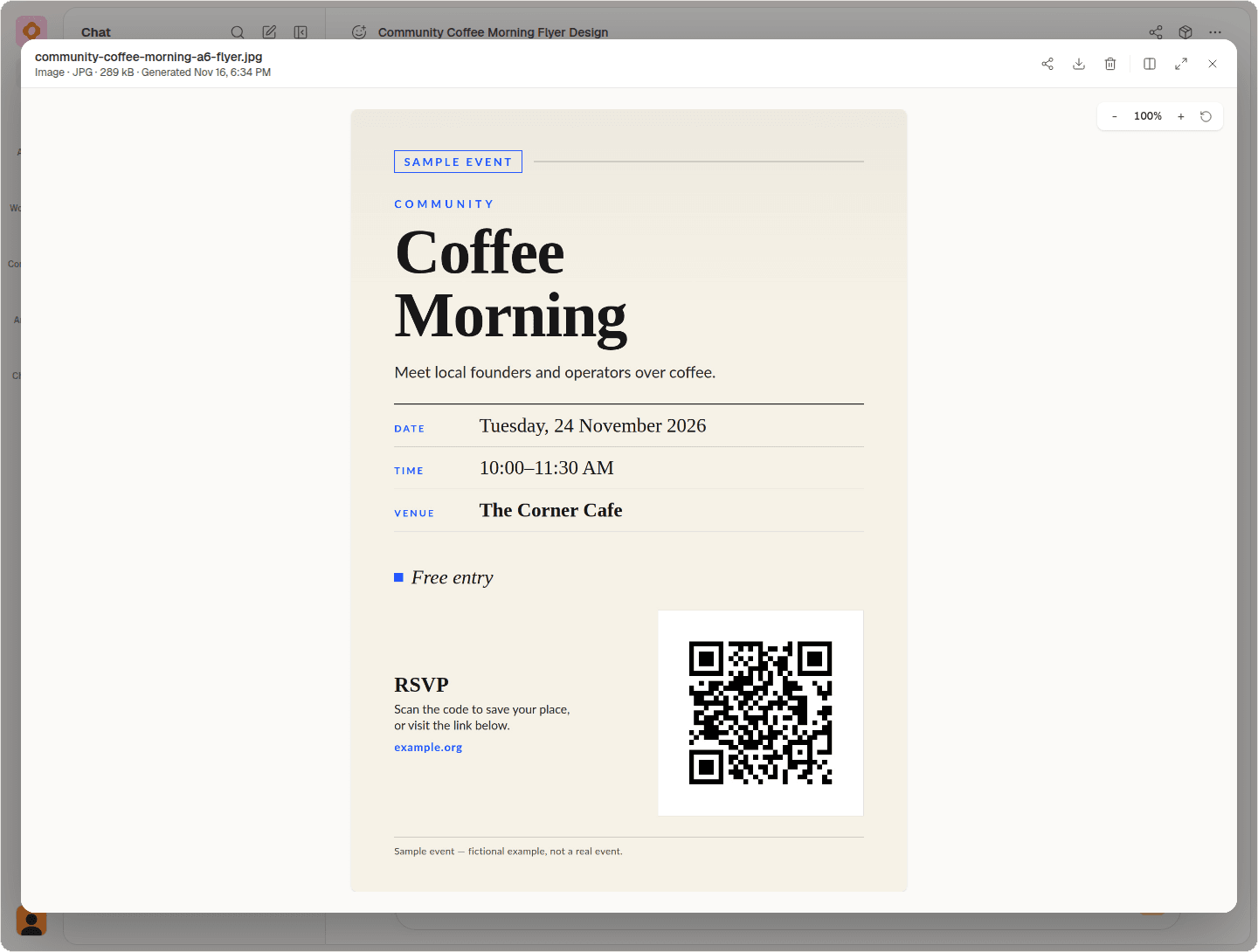
Give Okou your event details, audience, and RSVP link, then ask for an event flyer. The dedicated workflow includes laying out the flyer and checking that its QR code opens the intended destination.
The example below is a fictional community coffee morning, with its RSVP link built into the flyer.
Meeting notes
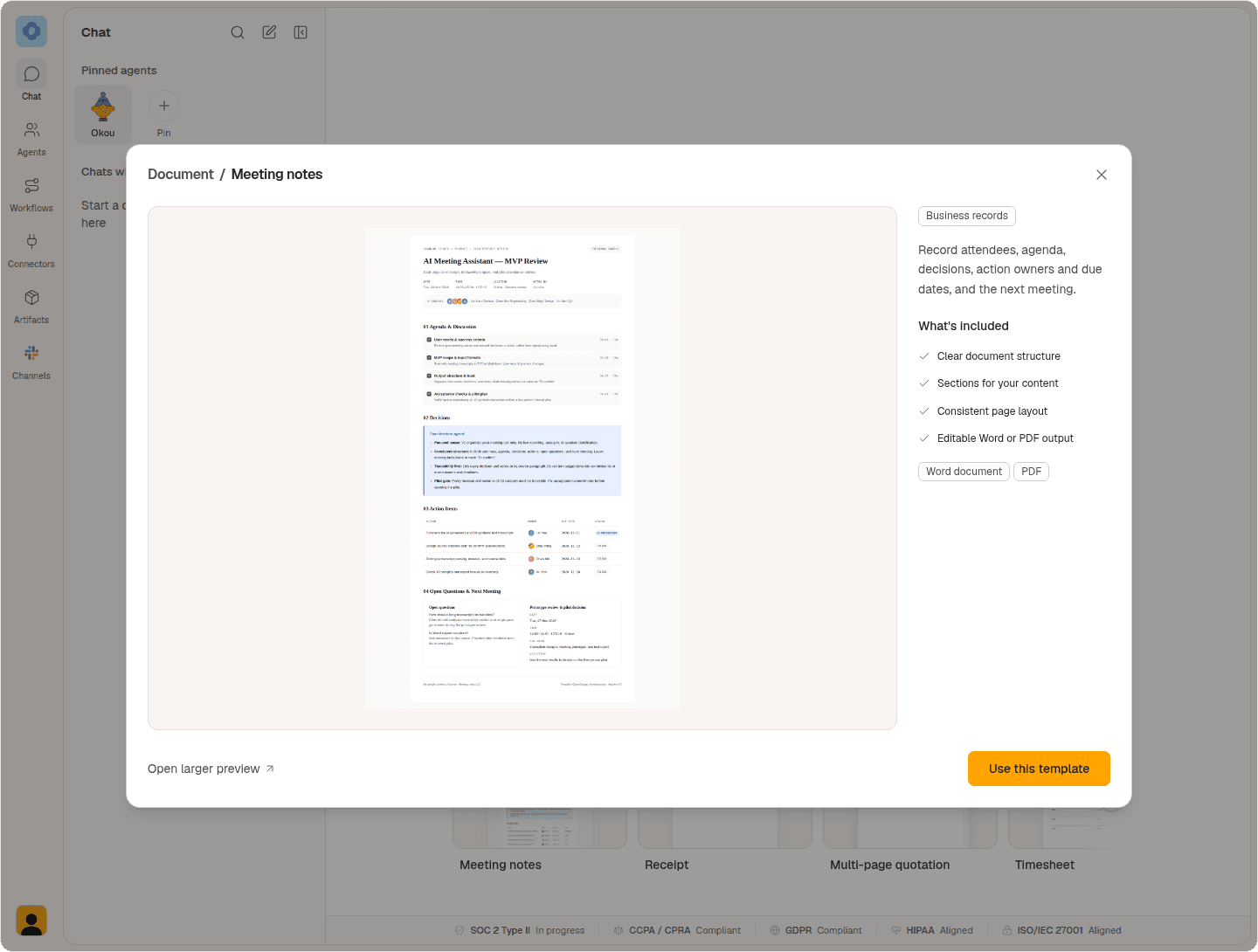
Start your next recap with the new Meeting notes document template. It provides sections for attendees, agenda, decisions, action owners and due dates, plus the next meeting.
Open Document, choose Business records, and preview Meeting notes. Select Use this template, add your meeting notes, and ask Okou to organize them into the layout.
Help
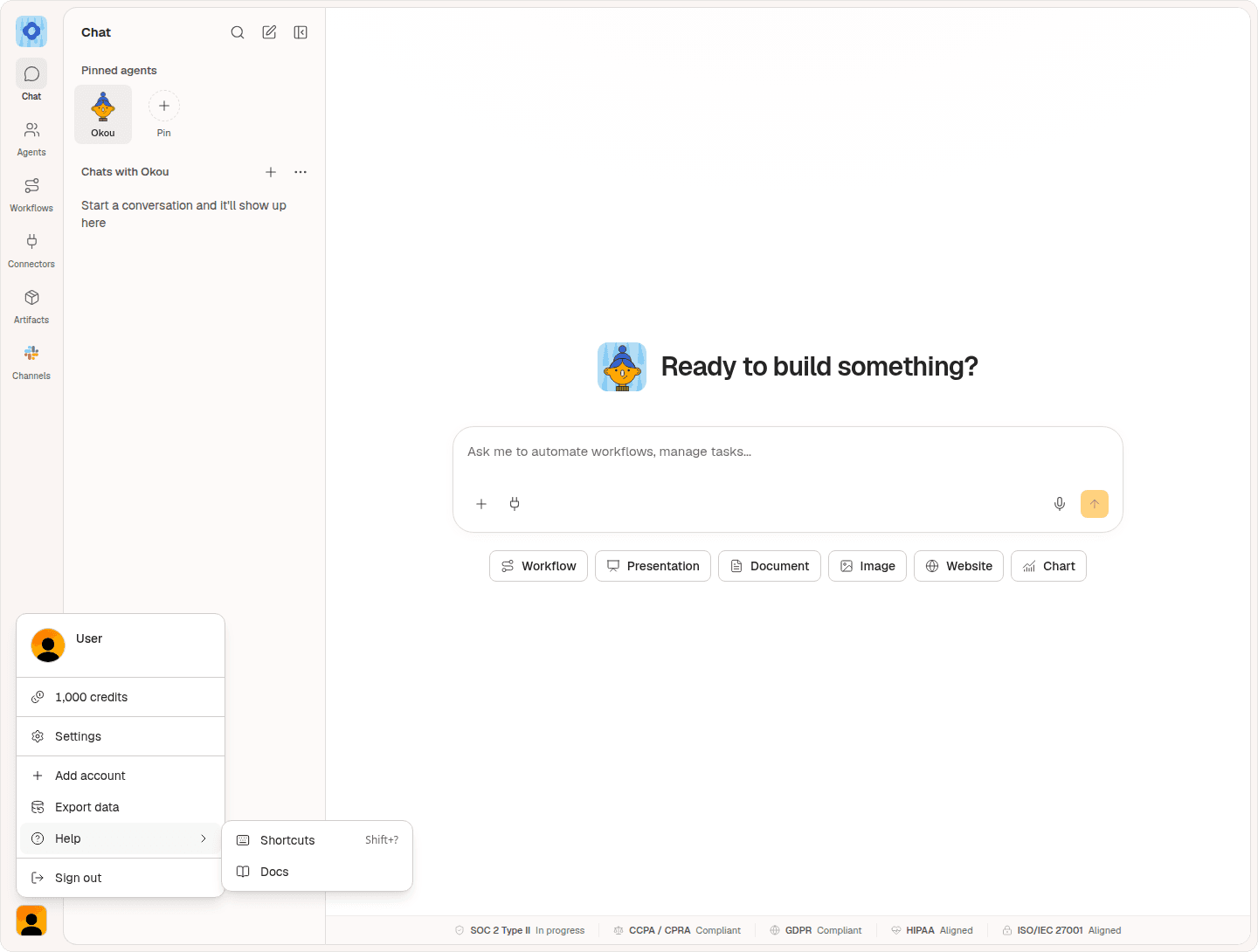
Find keyboard shortcuts and documentation from your account menu. The new Help submenu keeps both links together.
Choose Shortcuts to see the available keyboard commands in the app, or Docs to open the Okou documentation.
Smaller updates
Custom connectors: if you connect a tool that is not in the catalog, the setup form now puts the connection method and the details it needs in one place.
November 18: GTM Workflows in Practice
Join Okou, in partnership with Mem0 and Women in AI, for a roundtable discussion and dinner in San Francisco. Founders, sales and marketing leads, and operators will share how they handle prospecting, outreach, CRM, and reporting.
Featured guests: Elly Lin, Nitin Kanchi, and Larissa Gerlach.
Wednesday, November 18, 2026 · 6:00 to 8:00 PM PST · San Francisco. Dinner and drinks are included.
The event is currently full. Join the waitlist to be notified if a spot opens; the exact address is shared after approval.

Open Okou to try this week's updates.


